



Co-browsing
Banking customers expect next-level guidance
Effortless, secure Co-Browsing for real-time collaboration – no downloads required.

Seamless Co-Browsing across digital touchpoints
Enhance advisor efficiency, reduce prep time, and foster deeper, more relevant client conversations.
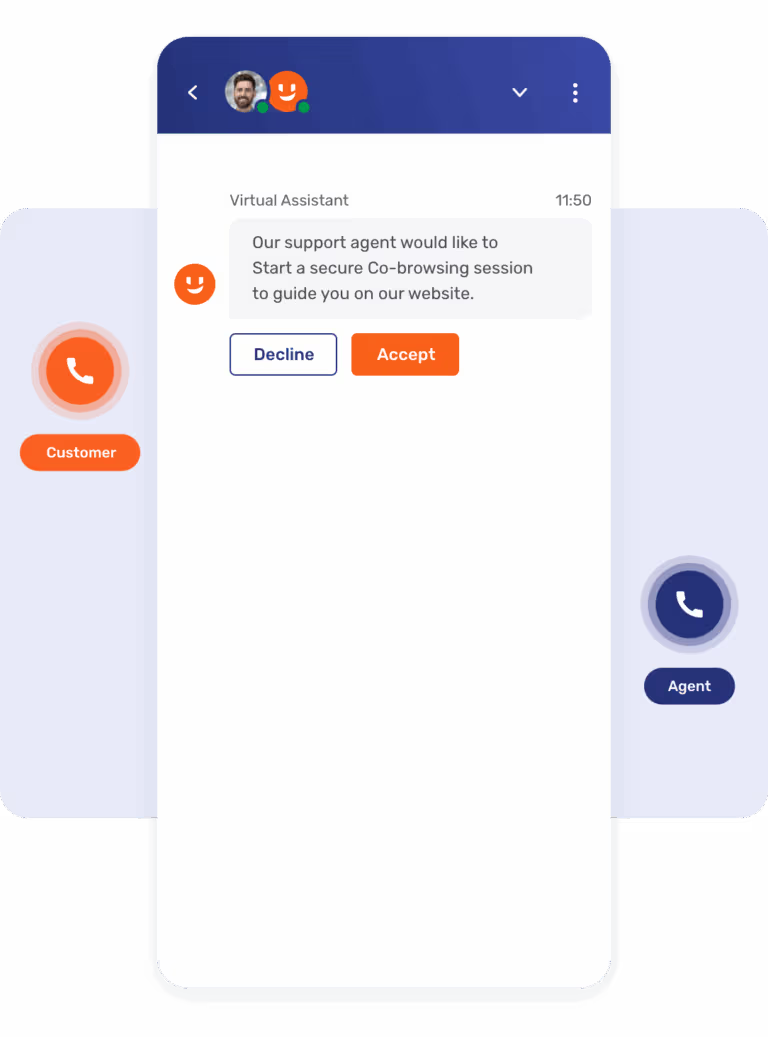
Augment phone calls

Provide visual assistance from standard phone calls with PIN-based Co-Browsing – or send outbound invites on digital channels to simplify session access and protect against fraud.
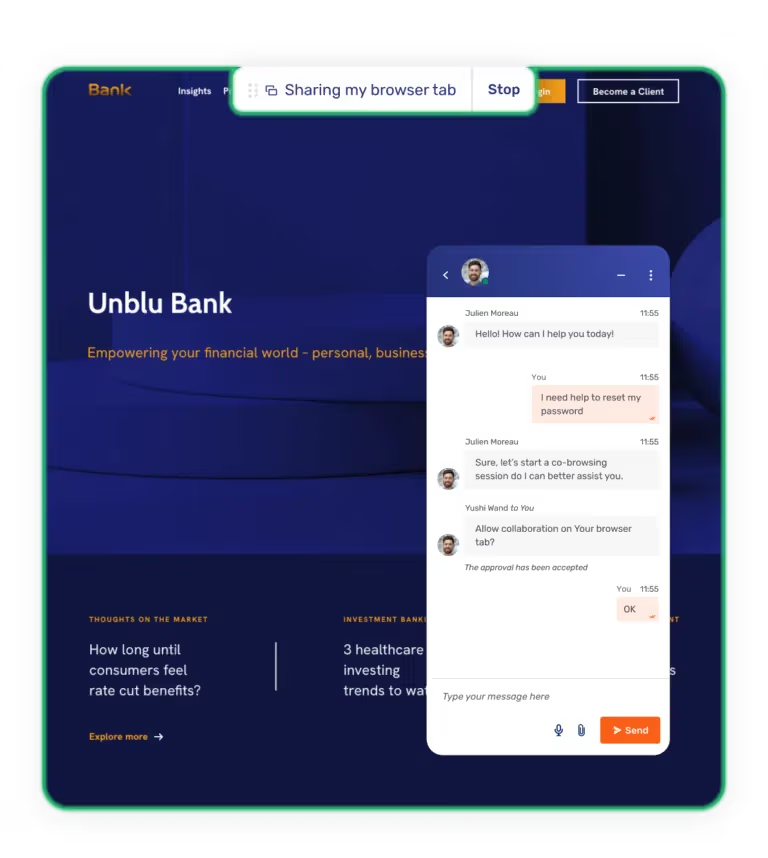
Enhance chat channels
Improve resolution times by providing visual support via collaborative browsing during discussions.
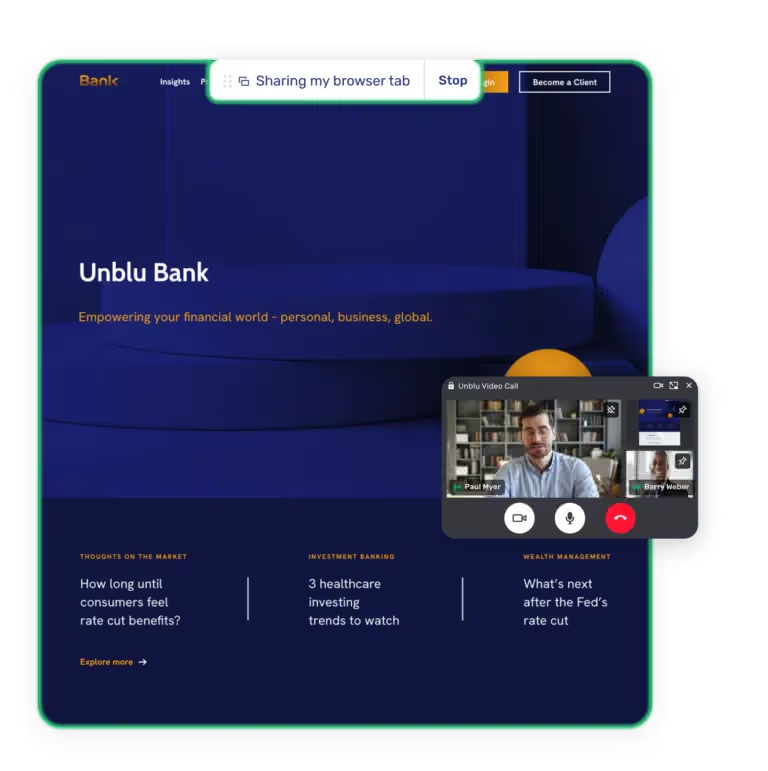
Augment video chats & voice calls
Customer support agents can strengthen conversations by guiding customers through processes interactively – whether in a video meeting or on a voice call.
Effortless for both customers and agents
Frictionless, intuitive Co-Browsing for a superior customer experience.
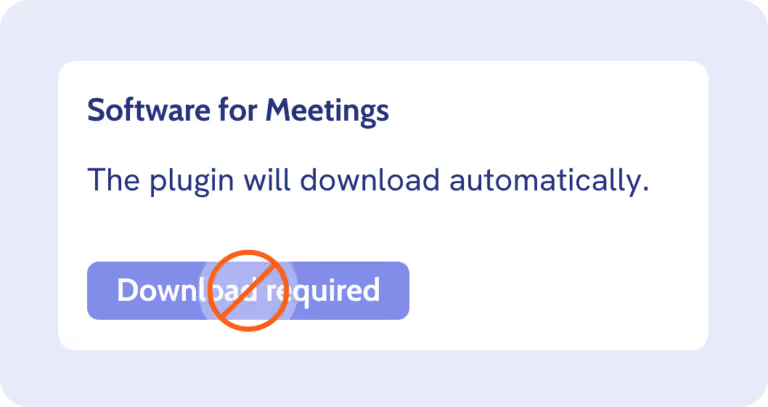
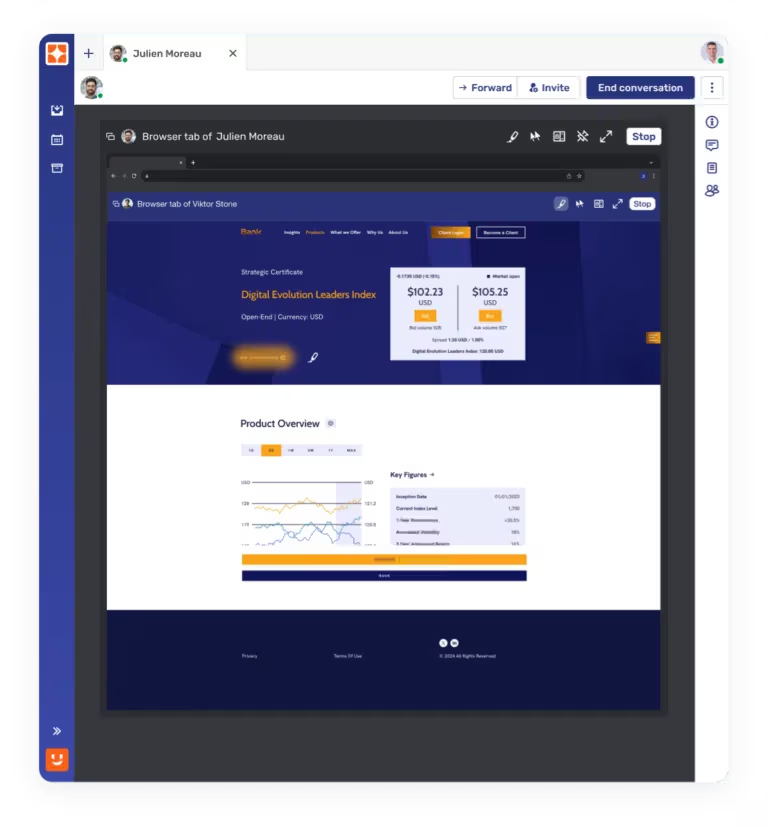
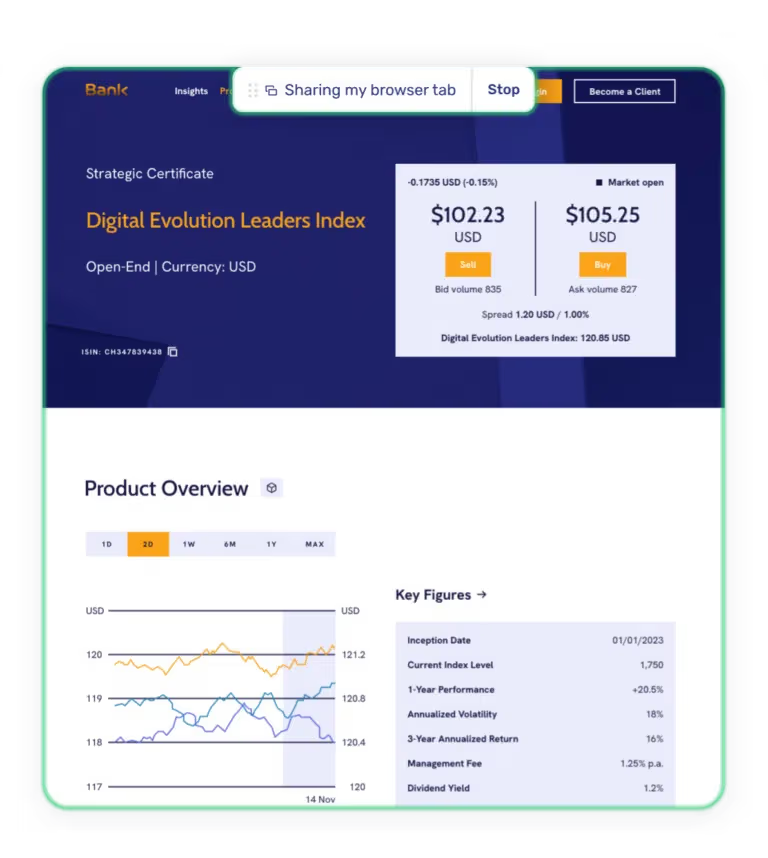
No downloads required
Our Co-Browsing tool works instantly within the browser, no software installations needed for agents or customers.
Agent guidance tools
Contact center agents can highlight key areas on the page or request temporary remote navigation access (only with customer approval).
Transparent customer experience
Customers always see exactly what is being browsed together, ensuring full transparency and control for more satisfied customers.
Empower customers with visual guidance
Support customers at critical moments with Co-Browsing technology.
Onboarding assistance
Help customers complete account setup, submit documents, or verify information effortlessly. Secure loyal customers from day one.
.avif)
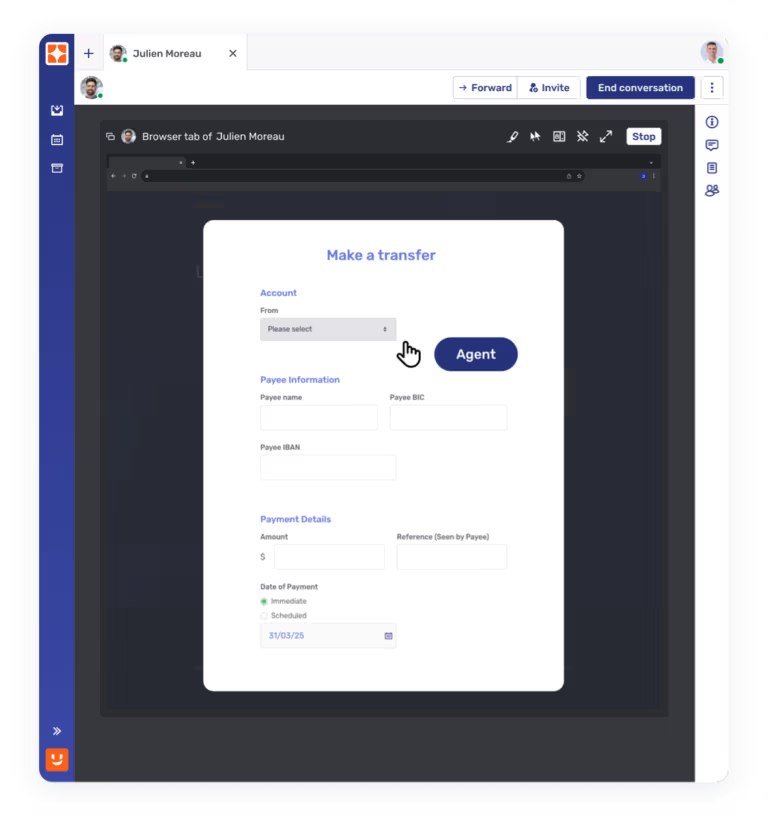
Customer portal navigation
Educate remote customers on self-service tools and guide them through transactions with step-by-step assistance.
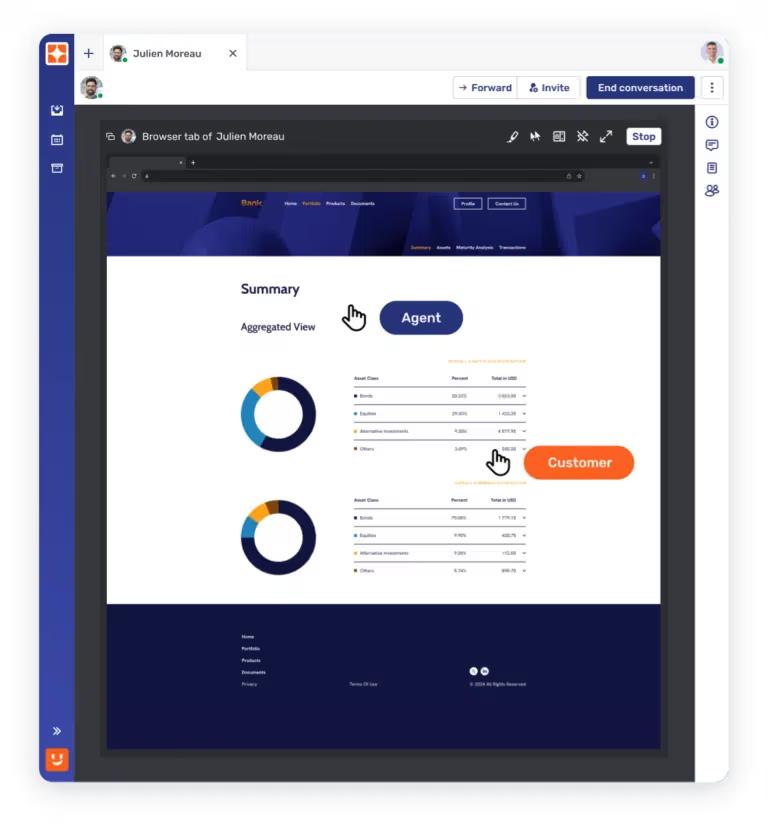
Portfolio reviews & advisory support
Walk customers through investment portfolios, complex forms, or financial planning documents interactively.



Maurice Lisi
Head of Digital Banking


Nicola Andreetta
Head of supportoATTIVO
Security and compliance at the core
Ensure data privacy and regulatory compliance with built-in protections and audit logs.
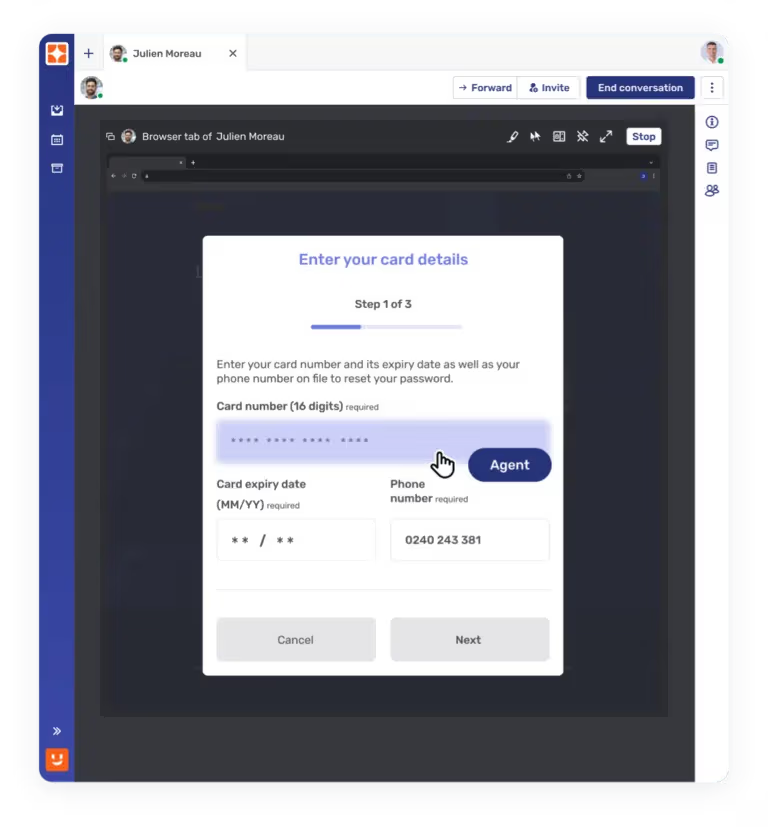
Field masking and function blocking
Hide sensitive fields (e.g. passwords, personal data) from customer service agents to protect customer information.
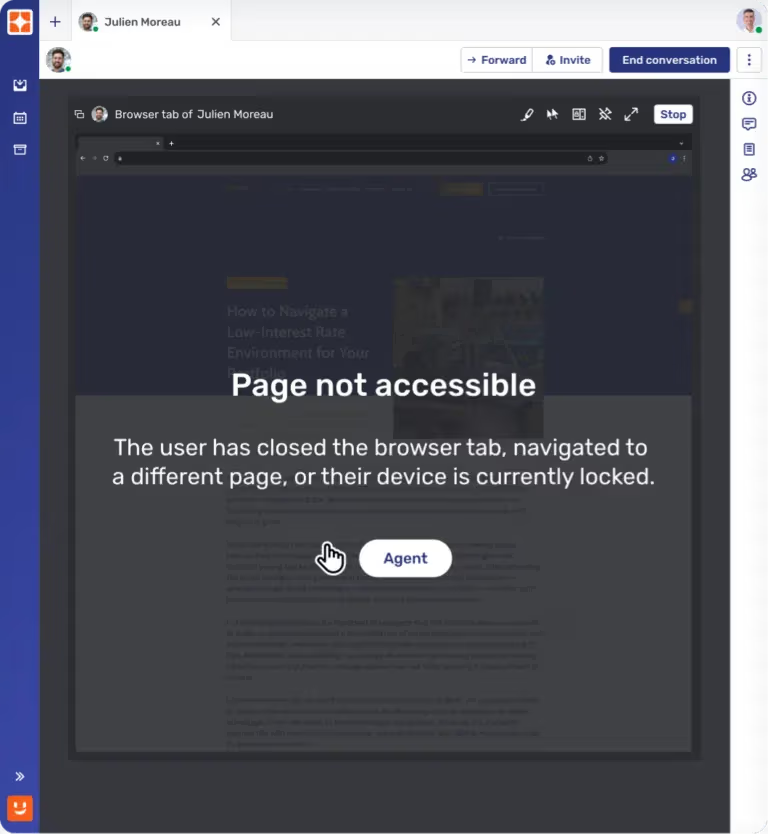
Page-level access control
Only pre-approved web pages can be browsed together, preventing accidental exposure of unrelated content and protecting customer privacy.
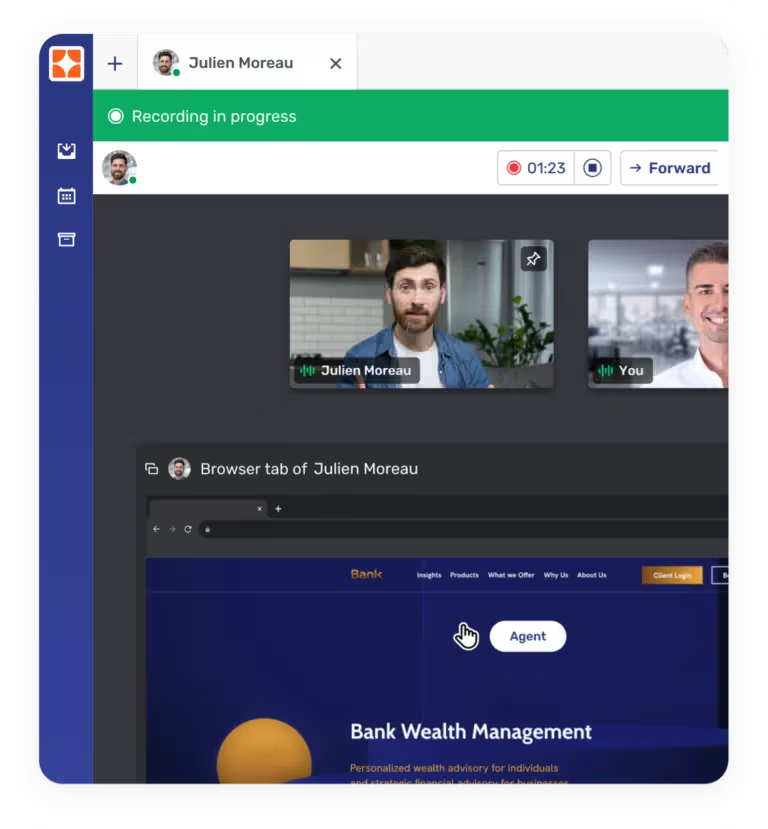
Session recording & storage
All Co-Browsing sessions can be recorded and securely stored for compliance, audit, or training purposes.
How it works
Fast, secure, and easy to implement.
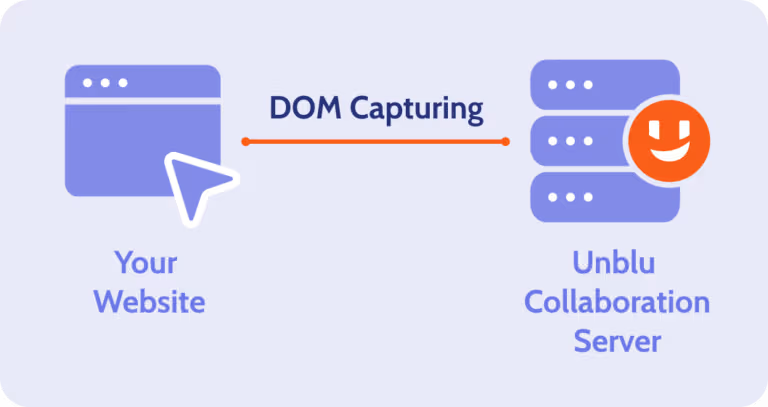
Real-time DOM capturing
Embedded Co-Browsing relies on DOM (Document Object Model) for capturing and recreating the customer’s browser on the agent’s computer or device. DOM capturing runs in the customer’s browser and transfers a “clone” of the visual state of the browser to the agent.
Simple implementation
Enable Co-Browsing by adding a lightweight JavaScript snippet to the <head> section of your website’s HTML.

How is Unblu different
Topic
Unblu Co-Browsing
Browser-Based screensharing
Application-Based Screensharing (Zoom, Teams)
Installation requirements
No installation
Browser-native functionality
Needs system permission change and browser restart
Needs pre-installed app or plugin
Requires permissions + application restart
Scope of visibility
Only specific web session or element visible to advisor
Sharing scope pre-set by app (e.g., browser tabs only)
User can only approve or deny
Full application or screen shared
Navigation handling
Seamless across navigation
Advisor remains in session
Navigating to a new page or reloading the current page ends the sharing session
Users must approve screensharing again each time this occurs
User must manually manage what is shared
No automatic privacy safeguards
Browser/device compatibility
Works across all modern browsers and mobile devices.
Works for full screen or window sharing
Sharing is restricted to a single browser tab
Not supported on Safari and Firefox
Broad compatibility on desktops
Limited or clunky on mobile
Remote control permissions
Banks define which on-screen functions (e.g., button clicks) are available to advisors during a session
Does not support remote control
Advisors cannot assist the customer with the navigation
Remote control grants full access
No native function blocking (e.g., field masking, disabling button clicks) supported
Field masking
Specific fields (e.g., passcode, account number) can be masked from advisors.
No masking available – the entire application or desktop is shared.
Session recording
Selective interaction recording
Compliant with financial regulations
Full screen recording increases risk of Client Identifying Data (CID) exposure
Compliance impact
Supports GDPR and PCI-DSS compliance with controlled access
High risk of exposing Client Identifying Data (CID) and sensitive information
Unblu Co-Browsing
Installation requirements
No installation
Browser-native functionality
Scope of visibility
Only specific web session or element visible to advisor
Navigation handling
Seamless across navigation
Advisor remains in session
Browser/device compatibility
Works across all modern browsers and mobile devices.
Remote control permissions
Banks define which on-screen functions (e.g., button clicks) are available to advisors during a session
Field masking
Specific fields (e.g., passcode, account number) can be masked from advisors
Session recording
Selective interaction recording
Compliant with financial regulations
Compliance impact
Supports GDPR and PCI-DSS compliance with controlled access
Browser-Based screensharing
Installation requirements
Needs system permission change and browser restart
Scope of visibility
Sharing scope pre-set by app (e.g., browser tabs only)
User can only approve or deny
Navigation handling
Navigating to a new page or reloading the current page ends the sharing session
Users must approve screensharing again each time this occurs
Browser/device compatibility
Works for full screen or window sharing
Sharing is restricted to a single browser tab
Not supported on Safari and Firefox
Remote control permissions
Does not support remote control
Advisors cannot assist the customer with the navigation
Field masking
No masking available – the entire application or desktop is shared
Session recording
Full screen recording increases risk of Client Identifying Data (CID) exposure
Compliance impact
High risk of exposing Client Identifying Data (CID) and sensitive information
Application-Based Screensharing (Zoom, Teams)
Installation requirements
Needs pre-installed app or plugin
Requires permissions + application restart
Scope of visibility
Full application or screen shared
Navigation handling
User must manually manage what is shared
No automatic privacy safeguards
Browser/device compatibility
Broad compatibility on desktops
Limited or clunky on mobile
Remote control permissions
Remote control grants full access
No native function blocking (e.g., field masking, disabling button clicks) supported
Field masking
No masking available – the entire application or desktop is shared
Session recording
Full screen recording increases risk of Client Identifying Data (CID) exposure
Compliance impact
High risk of exposing Client Identifying Data (CID) and sensitive information
